Key Takeaways
-
SOAR security stands for Security Orchestration, Automation, and Response—a category of platforms designed to automate and coordinate incident response across existing security tools in enterprise environments.
-
SOAR centralizes security alerts, standardizes security processes, and automates incident response playbooks to reduce mean time to respond (MTTR) and analyst workload.
-
SOAR does not replace SIEM or XDR; instead, it integrates with these detection tools to turn alerts into automated or guided response actions.
-
Common SOC use cases include phishing triage, malware containment, insider threat investigations, and compliance reporting workflows.
-
This article serves as a neutral, glossary-style resource for SOC teams, CISOs, and security engineers evaluating SOAR technology.
What Is SOAR Security?
SOAR (Security Orchestration, Automation, and Response) is a category of security platforms that coordinate tools, automate workflows, and standardize incident response across the security operations center. Implementing Security Orchestration, Automation, and Response (SOAR) tools significantly optimizes Security Operations Centers (SOCs) by centralizing alert management and response execution.
The SOAR meaning in cybersecurity centers on connecting disparate security tools—including SIEM, EDR, firewalls, email gateways, cloud security controls, and ticketing systems—to enable consistent security incident response. Rather than requiring analysts to manually pivot between multiple consoles, soar platforms provide a centralized platform for coordinating actions across the security stack.
Gartner formalized the term SOAR in the mid-2010s, and adoption accelerated between 2016 and 2022 as API-native security solutions became standard. The technology emerged from the consolidation of three earlier tool categories: security incident response platforms, security orchestration platforms, and threat intelligence platforms.
SOAR security focuses on operationalizing security automation and security orchestration rather than raw detection analytics. By integrating with threat intelligence management, SOAR enables organizations to enhance security operations through improved threat detection, response, and automation. Detection remains the domain of SIEM and XDR, while SOAR enables security teams to act on those detections systematically. The following sections cover how SOAR works, core capabilities, integrations, benefits and limitations, and real-world use cases.
Core Components of SOAR: Orchestration, Automation, and Response
SOAR combines three core functions: Security Orchestration, Security Automation, and Security Response. These three interdependent pillars work together to streamline processes and reduce manual intervention in security operations.
Security Orchestration connects and coordinates various security tools within a company’s security system, allowing for streamlined incident response processes. This coordination layer uses APIs and connectors to unify existing security tools such as SIEM, EDR, NDR, email gateways, firewalls, IAM, and ticketing systems. Leading platforms offer 300+ out-of-the-box connectors to integrate disparate security tools without vendor lock-in.
Security Automation executes tasks without human intervention, usually triggered by alerts. SOAR platforms are designed to automate repetitive tasks and automate tasks such as alert enrichment, IOC lookups, and ticket updates, reducing manual effort and streamlining incident response workflows. This includes rule-driven or playbook-driven execution of repetitive tasks such as alert enrichment, IOC lookups, user containment, and ticket updates. Security automation minimizes human interaction required in the process, allowing security analysts to handle problems that require more creative problem solving, thus improving operational efficiency.
Security Response manages the entire incident lifecycle from ingestion to remediation, allowing analysts to triage and mitigate threats more efficiently. This pillar codifies the security incident response process—aligned with frameworks like NIST 800-61—into executable playbooks with approval workflows. Many platforms support both fully automated and human-in-the-loop modes where analysts approve or modify actions before execution.

How SOAR Works in a Modern SOC
In the SOC stack, SOAR sits downstream from detection tools, ingesting security alerts from SIEM, EDR, cloud security platforms, and other event management sources into a centralized console. SOAR enhances operational efficiency by integrating various security tools and automating incident response processes, which helps security teams manage increasing volumes of alerts and reduces the risk of missing critical threats.
A typical SOAR data flow follows this sequence:
-
Alert ingestion – Security events arrive via syslog, CEF, or API connections
-
Normalization and correlation – SOAR deduplicates and groups related security events
-
Enrichment – The platform queries threat intelligence feeds and asset databases for context, leveraging threat data to enrich security alerts and improve threat detection accuracy
-
Playbook selection – Based on alert type and severity, the appropriate workflow triggers
-
Response execution – Automated and manual steps execute (containment, notification, remediation)
-
Documentation – Post-incident artifacts are stored for compliance and lessons learned
SOAR platforms consolidate data from multiple security tools and sources to provide a unified view for analysis and response.
SOAR platforms utilize application programming interfaces (APIs), prebuilt plugins, and custom integrations to unify disparate security tools and automate workflows. Bi-directional integrations via REST APIs, message queues, and webhooks allow SOAR to both read from and act upon different security tools—blocking IPs on firewalls, disabling user accounts in IAM, or isolating endpoints through EDR.
A SOAR platform should offer incident and case management features to help teams understand incident timelines, support post-incident documentation, and create audit trails for accountability. Each security incident is tracked as a case with timelines, artifacts, and analyst actions.
Some platforms incorporate AI or machine learning features to recommend playbooks, prioritize alerts, or suggest next steps. However, core value relies on explicit workflows for determinism and auditability.
Security Orchestration and Security Automation
While often discussed together, automation and orchestration are related but distinct concepts within orchestration automation and response solutions. Understanding this distinction helps security operations teams deploy capabilities effectively.
Security orchestration is the process of connecting and coordinating disparate security controls—firewalls, proxies, DLP, EDR, and cloud security groups—so that a single action propagates across multiple tools. SOAR platforms integrate and coordinate multiple security tools and security technologies to streamline incident response processes, ensuring compatibility and unified management across a broad range of existing solutions. For example, when threat intelligence confirms a malicious IP address, an orchestration workflow can simultaneously update:
-
Network firewalls
-
Cloud security groups
-
Web application firewalls
-
DNS sinkhole configurations
-
EDR block lists
This replaces manual updates across 5-10 separate consoles with a single coordinated action.
Security automation handles individual tasks like URL reputation checks, sandbox detonation, or GeoIP lookups. These tasks execute automatically whenever certain alert conditions or playbook steps are met.
The key difference is scope:
-
Automation executes discrete, granular tasks (tactical efficiency)
-
Orchestration sequences those tasks into end-to-end security processes (strategic coordination)
Industry guidance suggests building orchestration maturity before scaling automation to avoid introducing chaos through poorly coordinated automated actions.
Playbooks, Runbooks, and Security Processes
Playbooks and runbooks form the foundation of security processes inside soar platforms. These artifacts encode institutional knowledge into repeatable, auditable workflows.
Playbooks in SOAR platforms serve as process maps that outline the steps for standard security operations, enabling both automated and manual responses to incidents. A playbook is a high-level, documented procedure for investigating and responding to a type of security incident, typically aligned with frameworks like NIST 800-61 or ISO/IEC 27035.
A runbook is the more technical, step-by-step automation that implements specific playbook actions inside the SOAR tool. For example: “For each sender IP, query threat intelligence and update case notes; if IP matches blocklist, auto-block; otherwise, escalate to analyst.”
Common playbook categories include:
-
Phishing response – Extract IOCs, sandbox attachments, query threat intelligence, quarantine emails
-
Malware containment – Isolate endpoint, collect forensics, trigger remediation
-
Data exfiltration – Correlate DLP alerts with user activity, restrict access
-
Suspicious admin activity – Validate change windows, notify security personnel
-
Cloud misconfigurations – Auto-remediate or ticket based on severity
Well-designed SOAR implementations use visual playbook designers, conditional logic, approval gates, and role-based access controls. Senior analysts govern which steps execute automatically versus requiring human intervention for high-risk actions.
Playbooks can be triggered by security alerts, scheduled jobs, or manual analyst initiation—supporting both reactive incident response and proactive threat hunting.
SOAR Integrations: SIEM, XDR, and Threat Intelligence
SOAR derives most of its value from deep integrations with existing security tools and data sources rather than from standalone analytics. The ability to integrate security capabilities across the stack determines SOAR effectiveness.
SIEM integrations allow security information and event management systems to feed prioritized alerts to the SOAR platform. Log management and event management data from servers, applications, and network devices flow into SIEM, which then forwards correlated alerts to SOAR for action. SOAR turns SIEM detections into repeatable, audit-ready workflows through automated enrichment and response.
XDR integrations connect extended detection and response platforms that provide high-fidelity endpoint, network, and email detections. SOAR orchestrates follow-up actions like isolating endpoints, resetting credentials, or blocking lateral movement across the environment.
Integration with threat intelligence is essential for a SOAR platform, as it helps security operations teams make informed decisions regarding internal and external threats. Threat intelligence management is a key capability that enables SOAR platforms to collect, normalize, enrich, and operationalize threat data, improving decision-making and facilitating incident response workflows. Threat intelligence platforms and threat intelligence feeds—commercial, open-source, and internal—provide IOC scoring that drives automated decisions in playbooks. This data collection enriches alerts with context about known cyber threats and potential threats.
Additional common integrations include:
-
Ticketing systems – Incident tracking and escalation
-
ITSM tools – Change management coordination
-
Cloud provider APIs – Cloud aware incident response actions
-
IAM services – User containment and credential management
-
Collaboration tools – Analyst notifications via email and chat
Custom integration capabilities are crucial when selecting a SOAR platform, as they allow for seamless implementation and support for existing security tools.
SOAR vs SIEM vs XDR
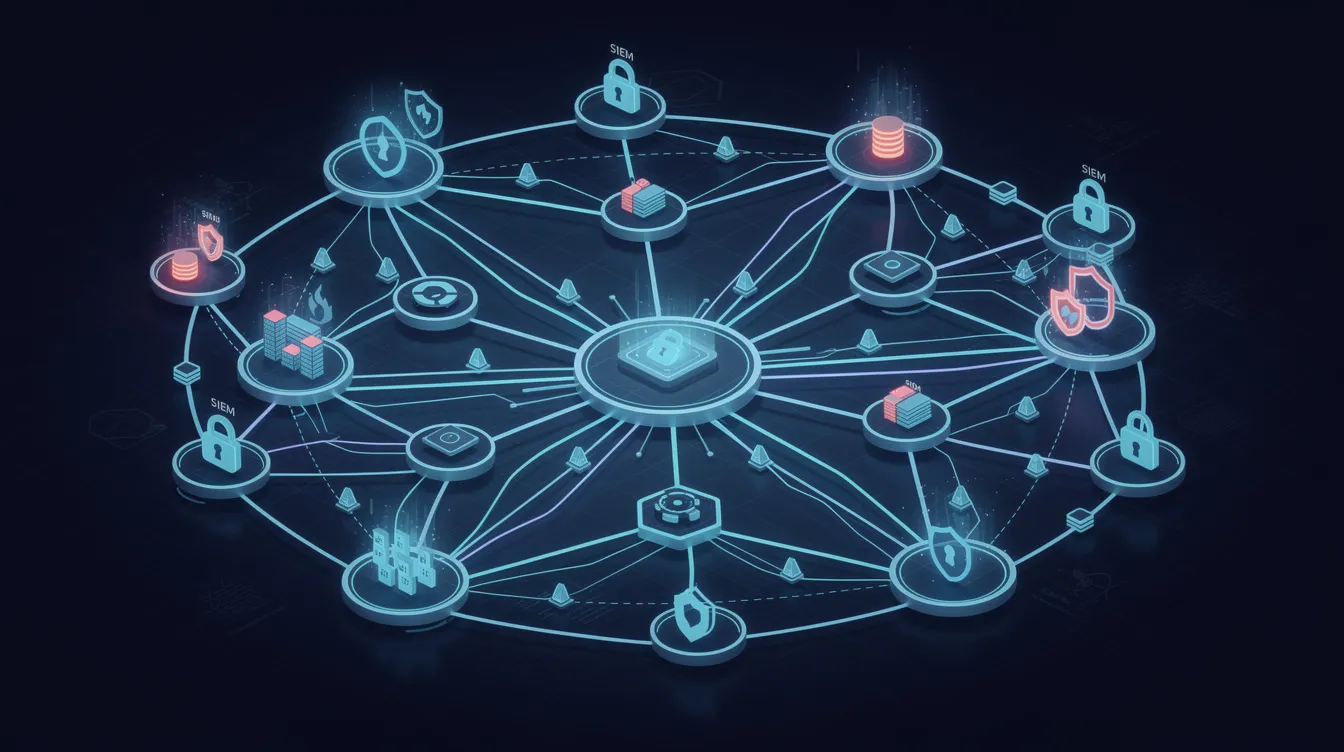
SOAR, SIEM, and Extended Detection and Response (XDR) each serve a different purpose in the cybersecurity landscape, with SIEM focusing on log analysis and threat detection, XDR expanding detection across multiple layers, and SOAR automating and orchestrating the response. Understanding these complementary roles helps organizations build effective security stacks.
SIEM (Security Information and Event Management):
-
Primary focus: Log collection, event management, correlation, and alerting
-
Strength: Compliance reporting, security analytics, and centralized visibility
-
Limitation: Alerts security teams but lacks native response automation
XDR (Extended Detection and Response):
-
Primary focus: Unified telemetry across endpoints, network, email, and cloud
-
Strength: High-fidelity detections with lightweight response capabilities
-
Integration: Often simplifies security integrations compared to standalone tools
SOAR (Security Orchestration, Automation, and Response):
-
Primary focus: Workflow execution, case management, and automated incident response
-
Strength: Turns detections into repeatable response processes
-
Integration: Layers on top of SIEM and XDR for end-to-end handling
While both SOAR and SIEM detect security issues and collect data, SOAR goes further by automating responses and using AI to predict threats, whereas SIEM primarily focuses on alerting security analysts without automation. XDR solutions are capable of more complex and comprehensive incident response automations than SOARs, and they often simplify security integrations, requiring less expertise or expense than SOAR integrations.
Current market practice often deploys SIEM or XDR for threat detection, with SOAR layered on top to manage incident response processes and analyst collaboration. This combination addresses both detection (MTTD) and response (MTTR) objectives.
Key SOAR Security Use Cases and Workflows
Most organizations initially deploy SOAR for a small set of high-volume, repeatable use cases before expanding to broader security processes. Starting with well-defined workflows demonstrates value quickly while building organizational experience.
Phishing Incident Response Automatically ingest suspicious email reports, extract URLs and attachments, perform sandbox analysis, query threat intelligence tools, and quarantine emails or block senders. Mature deployments resolve 70% of phishing alerts without analyst intervention through automated triage.
Malware Containment Receive alerts from EDR, collect host telemetry, isolate the endpoint, trigger malware scans, open tickets, and orchestrate patch or reimage actions. This workflow reduces response times from hours to minutes.
Insider Threat and Suspicious User Activity Integrate with UEBA, IAM, and HR data to detect anomalous access patterns. Playbooks automatically limit privileges, require MFA re-authentication, or escalate to security personnel based on risk scoring.
Compliance and Audit Support Compile evidence, aggregate logs through log management systems, document incident timelines, and generate consistent reports for regulations such as GDPR, HIPAA, PCI DSS, or SOX. Audit trails provide accountability and support regulatory requirements.
Additional Operational Use Cases
-
Vulnerability management orchestration connecting scanners to ticketing and patching
-
Certificate expiry monitoring to prevent outages
-
Routine security hygiene tasks benefiting from security automation
-
Intrusion detection systems alert handling
Benefits and Limitations of SOAR Security
SOAR platforms can significantly improve SOC efficiency, but they require mature processes and realistic expectations to deliver value.
Key Benefits
SOAR solutions help organizations reduce the mean time to respond (MTTR) to security incidents by automating workflows and standardizing processes, which allows security teams to respond more quickly and effectively to threats. Industry benchmarks show MTTR reductions of 50-90% in mature deployments.
By automating repetitive tasks, SOAR platforms help alleviate analyst burnout, allowing security teams to focus on more complex and creative problem-solving tasks that require human intervention. This addresses alert fatigue—a persistent challenge when SOCs face 10,000+ alerts daily.
SOAR security solutions can automate low-level, time-consuming, repetitive tasks like opening and closing support tickets, event enrichment, and alert prioritization, allowing security analysts to focus on more complex tasks. By automating workflows for many of the manual, mundane tasks associated with incident response, SOAR substantially reduces mean-time-to-remediate (MTTR), enhancing overall efficiency in security operations.
Additional benefits include:
-
Consistent response procedures reducing human error
-
Better leverage of existing security investments
-
Improved documentation and auditability for compliance
-
Skills gap mitigation amid global cybersecurity shortages
Limitations and Challenges
-
Integration complexity – Achieving robust security orchestration requires API-savvy engineers and 6-12 months for maturity
-
Playbook maintenance – Workflows require quarterly reviews similar to codebase management
-
Process prerequisites – Automating poorly defined processes amplifies problems rather than solving them
-
Fragmented toolsets – Legacy tools with limited API support require additional engineering effort
Industry data indicates approximately 30% of SOAR projects stall without strong governance. Organizations should assess process maturity before expecting automation to deliver results.
Implementing SOAR: Practical Considerations for SOC Teams
For SOC leaders and security architects planning SOAR deployment, a structured approach increases success probability.
Readiness Assessment Start by inventorying existing security tools, identifying high-volume security alerts, and mapping current incident response processes. Understanding your overall security posture and process gaps informs tool selection.
Pilot Use Cases Begin with 2-3 focused use cases—commonly phishing triage, endpoint malware, and user account compromise—before expanding coverage. This approach delivers quick wins while building team expertise.
Cross-Team Collaboration Effective SOAR requires coordination among SOC analysts, IT operations, cloud teams, and application owners. Automated actions like blocking IPs or disabling accounts must align with business requirements to avoid disruption.
Continuous Tuning Regularly review playbook performance, false positive rates, and analyst feedback. Security operations workflows require ongoing refinement as security threats evolve and the environment changes.
When choosing a SOAR platform, organizations should consider user-friendliness to ensure that security and IT teams can effectively detect and respond to threats in real-time. Flexibility of deployment is an important factor when choosing a SOAR platform, as it should fit well with existing security tools and systems to ensure smooth operations.
Governance Requirements
-
Role-based access control for playbook execution
-
Change management for workflow modifications
-
Defined approval workflows for high-impact response actions
-
Security monitoring of SOAR platform activity itself
FAQ
Is SOAR only useful for large enterprises, or can smaller organizations benefit as well?
While SOAR first gained traction in large enterprises with 24×7 SOCs, mid-sized organizations with limited analyst capacity can benefit significantly from automating high-volume tasks like phishing response and basic malware containment. Smaller teams often start with a narrower set of playbooks, focusing on alert enrichment and ticket automation rather than full-scale orchestration. Suitability depends more on process maturity and integration readiness than organization size—if your team handles repetitive manual tasks daily and has API-capable tools, SOAR can deliver value regardless of company scale.
How does SOAR handle false positives from security alerts?
SOAR uses enrichment steps—threat intelligence lookups, asset criticality checks, and user context queries—to automatically downgrade or close low-risk or clearly benign alerts. Playbooks include thresholds and conditions determining when alerts escalate to analysts versus automatic suppression. Mature deployments achieve 50-80% noise reduction through multi-stage enrichment. Additionally, feedback loops where analysts label alerts as true or false positives refine rules over time, and some platforms use this data to train ML models for improved accuracy.
Do SOAR platforms replace manual incident response runbooks?
SOAR digitizes and partially automates existing incident response documentation but does not eliminate human-readable runbooks and policies. Manual procedures remain critical for complex, high-impact incidents—such as large-scale ransomware or insider fraud—where human judgment and cross-functional coordination are essential. Many organizations maintain parallel written runbooks for business continuity while encoding routine steps into SOAR playbooks, achieving approximately 70% automation of repetitive procedures.
What skills do analysts need to work effectively with SOAR?
Analysts benefit from incident response experience, understanding of various security tools (SIEM, EDR, firewalls), and basic scripting or logic skills to design and troubleshoot playbooks. Many soar tools provide low-code or visual workflow builders, reducing advanced programming requirements while still demanding strong process thinking. SOC teams should include at least one engineer or architect responsible for maintaining integrations and ensuring orchestration aligns with evolving infrastructure.
How is SOAR evolving with AI and cloud-native security?
Recent SOAR offerings increasingly incorporate AI features such as alert clustering via NLP, recommended response actions, and natural-language summaries of security incidents. Cloud-native and hybrid environments drive demand for integrations with cloud provider APIs, serverless functions, and container orchestration platforms. However, clear playbooks and governance remain necessary despite AI advances—automation and response actions must stay transparent, auditable, and aligned with organizational risk appetite. Human oversight persists as SOAR enhances rather than replaces analyst judgment.